
if you wanna like that, just click here
Don't forget comment and follow my blog,
thanks be4
Nah yang sudah gerah dengan situs-situs porno, youtube yang memakan bandwitdh cukup besar, facebook dan friendster yang membikin kerja di kantor menjadi terganggu… lalu bgaimana kalau kita ingin memblock situs-situs atau website tertentu saja, tidak semuanya lho…? sebenarnya di windows sudah menyediakannya, dan kita tidak perlu software ataupun pengaturan melalui DNS maupun yang lain-lain, hanya menambahkan web black list.
Mari kita memulainya..
1. Silahkan anda membuka notepad
START > All Programs > Accesories > Notepad
2. Setelah notepad terbuka, silahkan klik:
File > Open
3. Pada tampilan open, ubah
Files of type: All Files
4. Lalu kita klik My Computer
5. Lalu kita klik:
C:\Windows\Sytem32\Drivers\Etc\hosts
6. Maka akan tampil pada notepad anda seperti ini:
# Copyright (c) 1993-1999 Microsoft Corp.
#
# This is a sample HOSTS file used by Microsoft TCP/IP for Windows.
#
# This file contains the mappings of IP addresses to host names. Each
# entry should be kept on an individual line. The IP address should
# be placed in the first column followed by the corresponding host name.
# The IP address and the host name should be separated by at least one
# space.
#
# Additionally, comments (such as these) may be inserted on individual
# lines or following the machine name denoted by a ‘#’ symbol.
#
# For example:
#
# 102.54.94.97 rhino.acme.com # source server
# 38.25.63.10 x.acme.com # x client host127.0.0.1 localhost
7. Sekarang mari kita menambahkan situs-situs yang anda ingin blokir
# Copyright (c) 1993-1999 Microsoft Corp.
#
# This is a sample HOSTS file used by Microsoft TCP/IP for Windows.
#
# This file contains the mappings of IP addresses to host names. Each
# entry should be kept on an individual line. The IP address should
# be placed in the first column followed by the corresponding host name.
# The IP address and the host name should be separated by at least one
# space.
#
# Additionally, comments (such as these) may be inserted on individual
# lines or following the machine name denoted by a ‘#’ symbol.
#
# For example:
#
# 102.54.94.97 rhino.acme.com # source server
# 38.25.63.10 x.acme.com # x client host127.0.0.1 localhost
127.0.0.1 youtube.com
127.0.0.1 www.youtube.com
127.0.0.1 friendster.com
127.0.0.1 www.friendster.com
127.0.0.1 facebook.com
127.0.0.1 www.facebook.com
Maksud dari tulisan di atas adalah seperti ini:
127.0.0.1 ini adalah IP adress dari localhost, jadi IP ini dapat anda ubah sesuai keinginan anda, jika anda tidak tahu atau tidak ingin merubahnya, cantumkan saja IP dari localhost ini. Fungsi dari IP ini adalah, ketika seseorang membuka alamat yang sudah di blacklist contohnya facebook, maka akan langsung di redirect ke halaman localhost/IP yang sudah kita tentukan sendiri.
8. Setelah anda selesai menuliskannya, silahkan klik save.
9. Lalu coba buka situs yang sudah anda blacklist, Selamat Mencoba!
Untuk mendownload file hosts tadi, disini


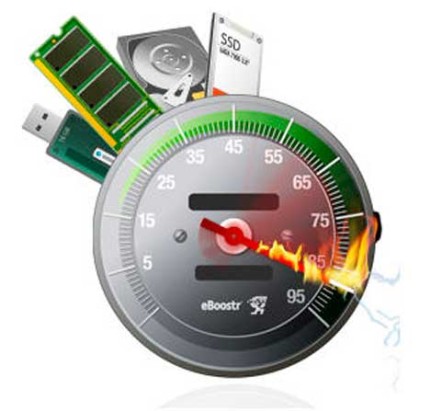 fren… kamu tahu kan eBoost? yupz eBoostr merupakan software yang di kususkan untuk meningkatkan kinerja RAM(Random Acces Memory) di pc atau leptop kamu melalui media flasdrive utowo flashdisk!! eBoost sudah lama beredar di jagat maya tapi tidak ada salahnya jika aku posting tetang eBoostr ini ..betull???
  jadi eBoostr ini akan membuat pc kamu lebih ngacirrr yahh bisa juga disebut RAM tambahan ..lho kok bisa ?? yaahh penasaran kan? emm semisal gini ..kamu memiliki RAM 1GB terus kamu menggunakan eBooster ini maka prosses load nya akan lebih cepat ketimbang ketika kamu hanya memakai RAM bawaan tok!! karena eBoost bekerja bersamaan dengan RAM bawaan!! jika kamu menggunakan windows 7 silahkan dehh di test di windows experience index dan lihat bedanya !! software ini cocok kalo makai windows XP
  tp di windows 7 juga lumayan cukup membantu ,jika kamu memiliki RAM yang kecil eBoost merupakan solusi murah untuk meningkatkan kerja pc kamu !!hanya bermodal flashdist 4/8GB saja kamu sudah bisa membuat pc kamu ngaciirrrrr wkkk lha daripada upgrade RAM ?? mahal tho??!!:D
 xixi ,& komputer kamu hanya akan mengakses buffer yang diciptakan oleh eBoostr dan memuat data dari sana. Tidak seperti hard drive, semua informasi yang terletak di buffer memori eBoostr adalah mudah diakses.kalau belum jelas silahkan komentar dimari …
  media yang dianjurkan
 Untuk tulisan ini ilmu belajar komputer bukannya mau memberikan saran yah, tapi hanya sebagai pelajaran aja yaitu Cara membobol hotspot warnet dan jaringan wireles internet yang dapat kamu tangkap keberadaannya OK.
 |  |  |  |  |
 |  |  |  |  |


You can follow my updates on Twitter

Read my full posts on your favorite feed reader

Become a All Here For You fan on Facebook

Read my latest articles in your e-mail box

